
Promotion Analytics 2.0
Overview of Update
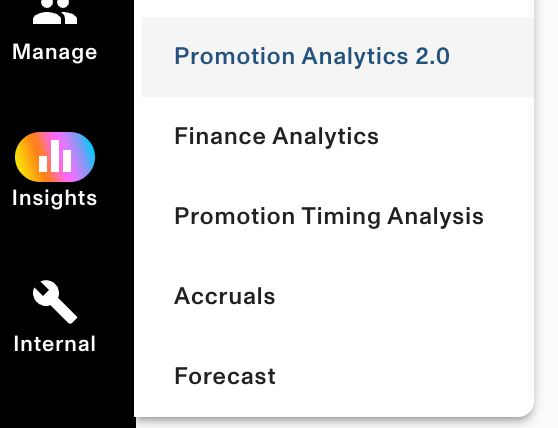
- How you will know you are using the new page?
- Promotion Analytics → Promotion Analytics 2.0
What’s changing?
- This update applies specifically to the Spend, Unit, and ROI tabs
- Please note, the majority of changes are NOT applied to the Bump Chart tab
- These areas have received a much-needed refresh to align with newer parts of the Vividly portal, offering a cleaner look, more flexible filtering, and improved performance.
The underlying data and calculations remain the same; only the UI and usability have improved.
What’s New and Improved
- Tabs are now at the top of the page
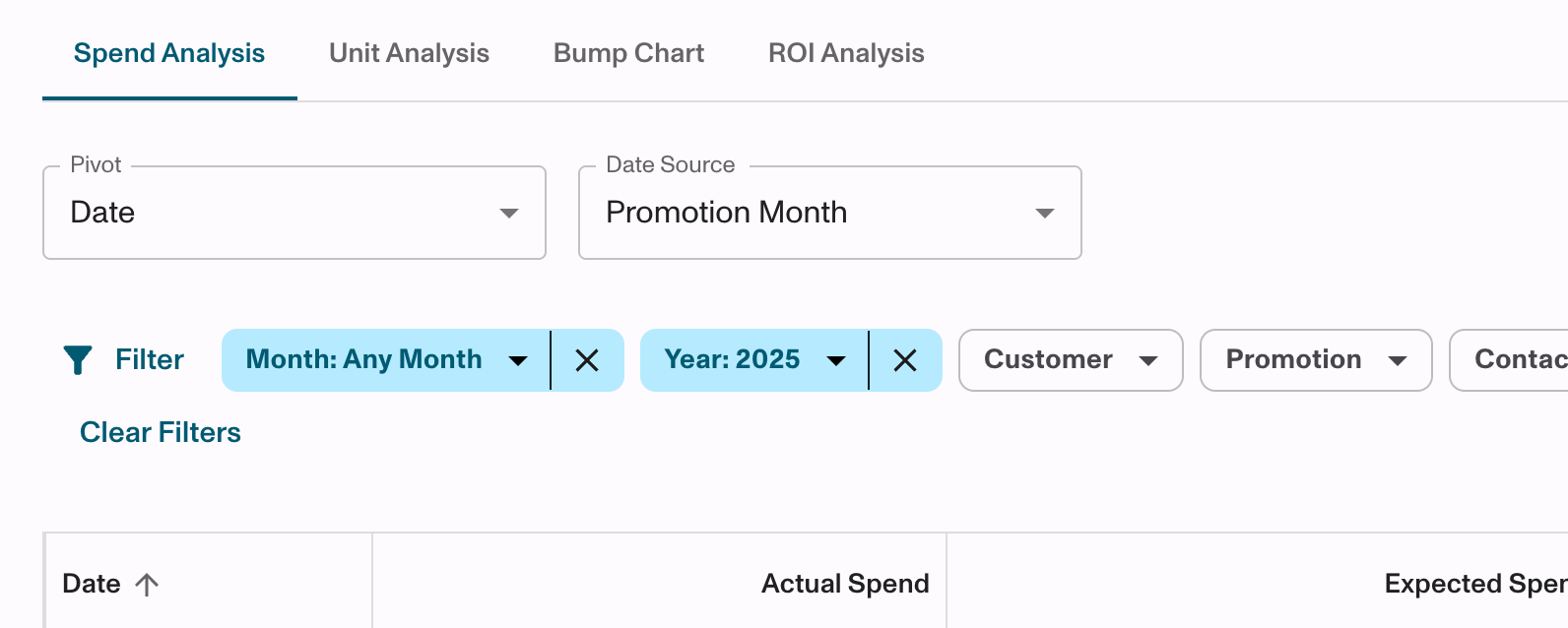
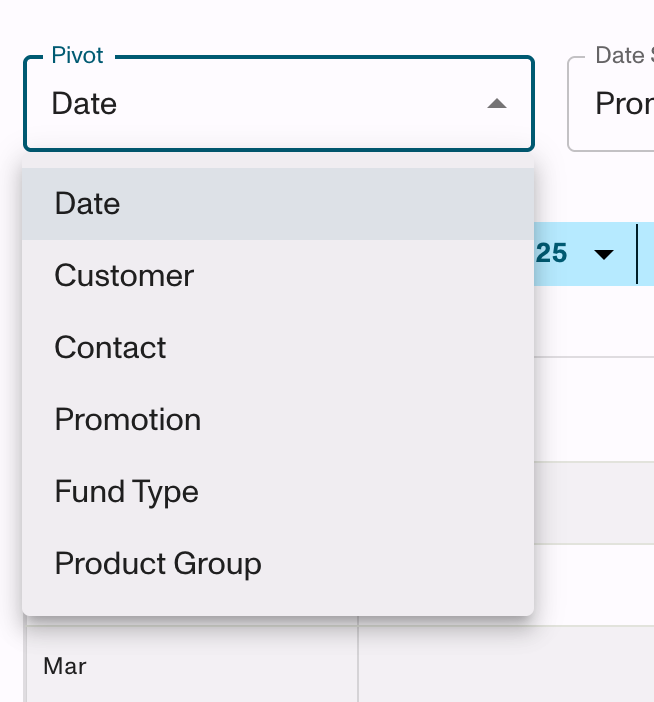
- Pivot Views are under a new dropdown
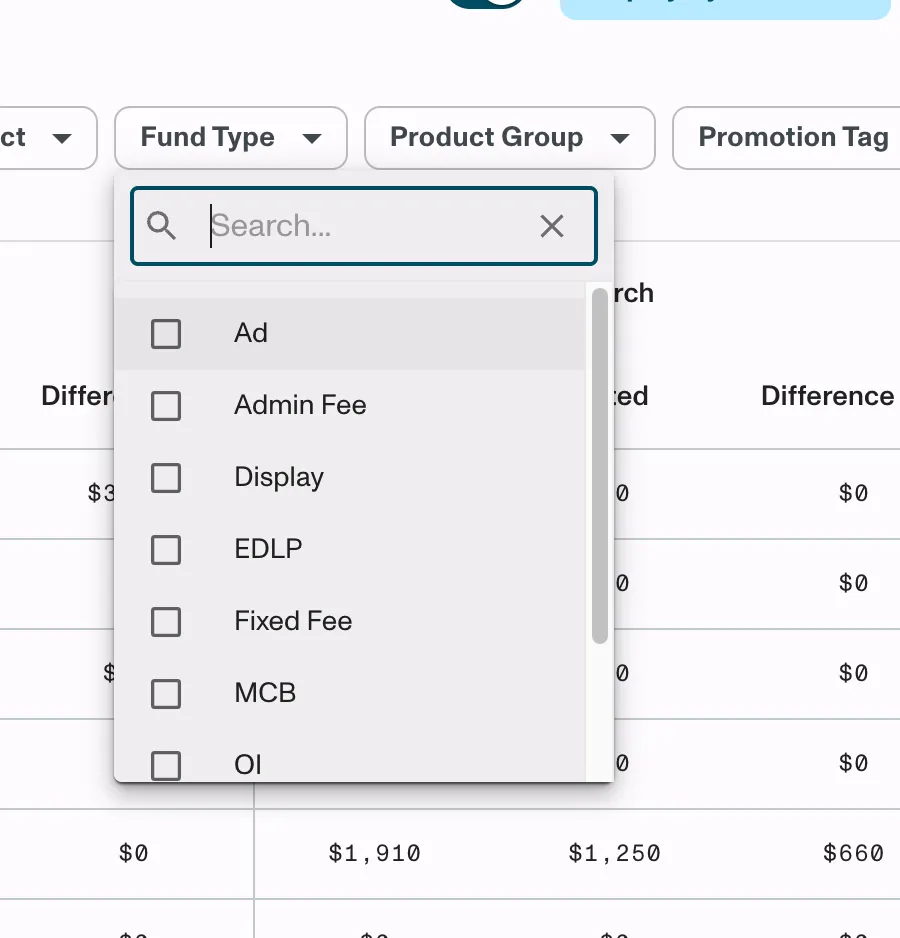
- Improved Filtering Experience:
- Intuitive multi-select options in the Spend, Unit, and ROI tabs.
- Ability to hide filters you don’t use
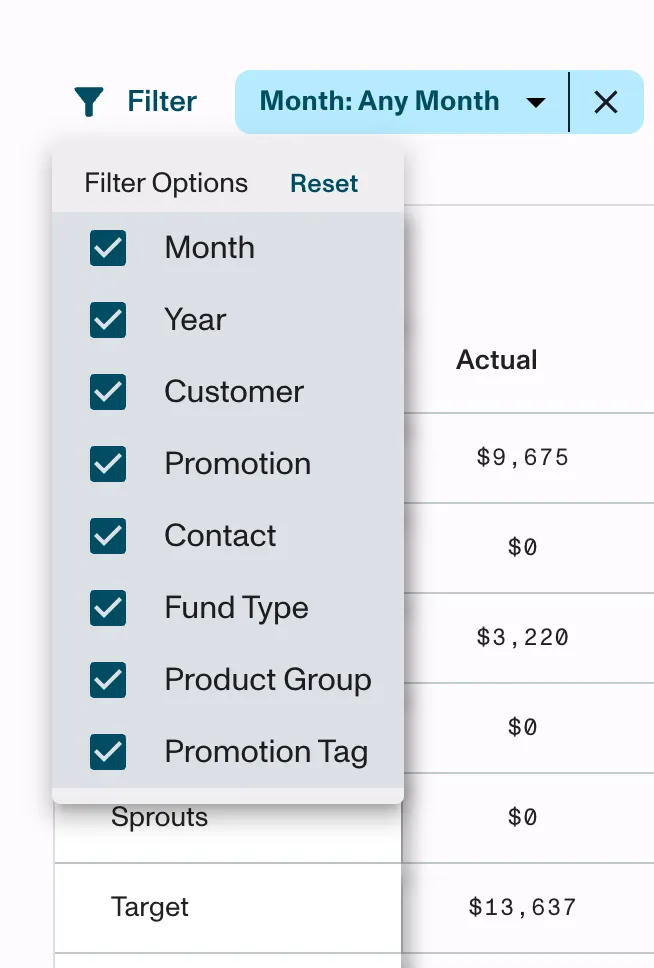
- Support for hierarchical filtering and viewing, allowing you to filter and view by customer or product hierarchy levels. (Note: To enable hierarchies, please contact your CSM.)
- Users that have hierarchies enabled can:
- Filter by different hierarchy levels for both customers and products.
- View hierarchical rollups directly within the product and customer pivot views.
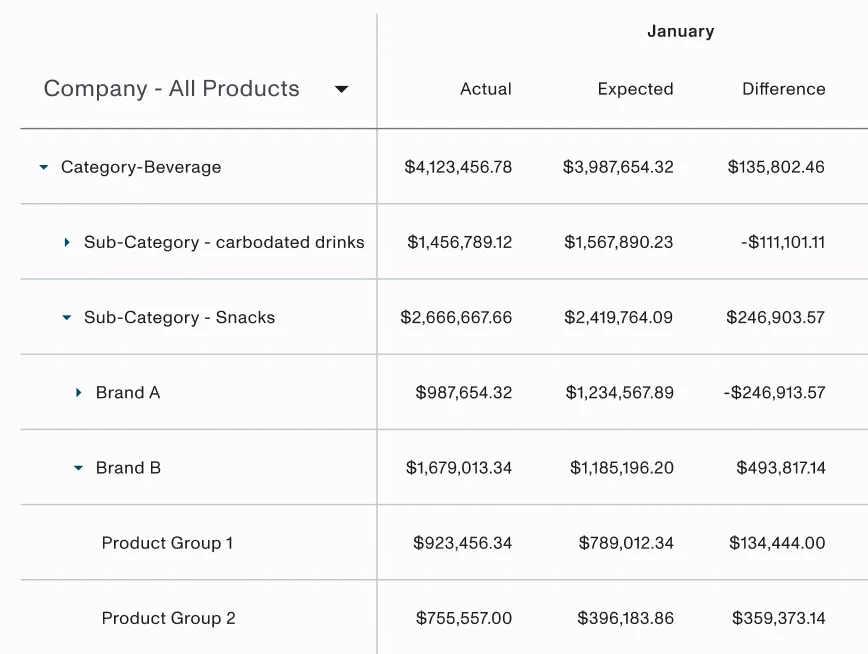
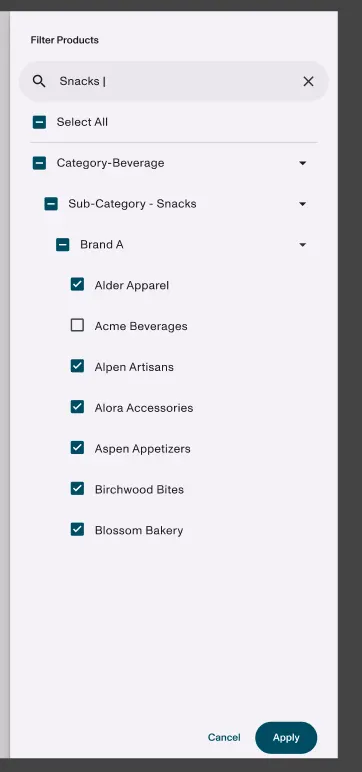
- Customizable Table Views:
- Users can show or hide specific columns in certain pivots to focus on the data that matters most.
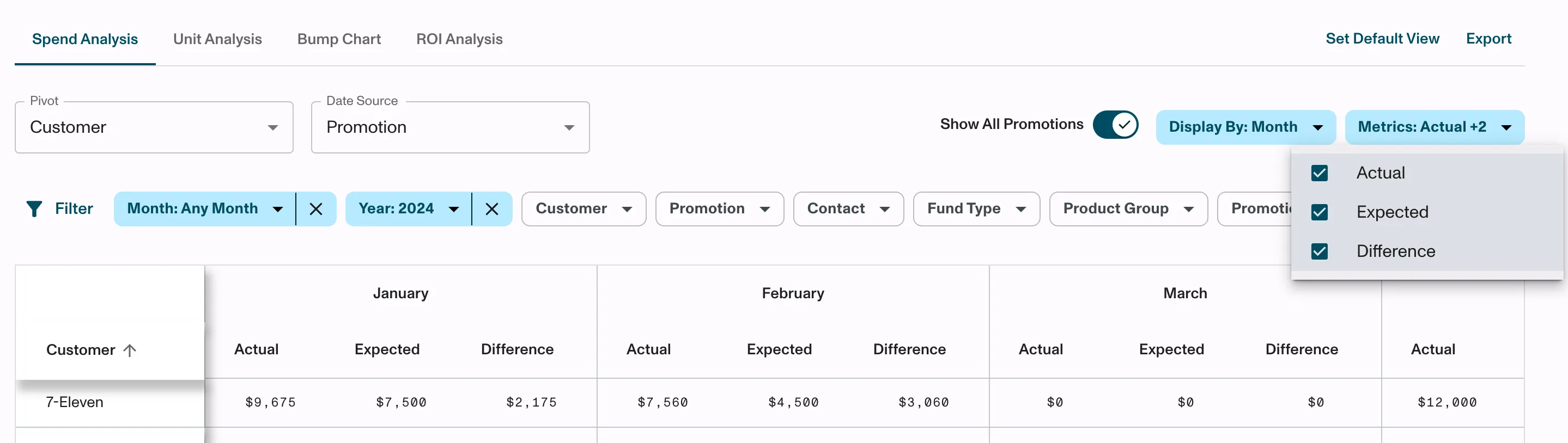
- Performance Improvements:
- Faster load times and smoother navigation across the Spend, Unit, and ROI tabs.
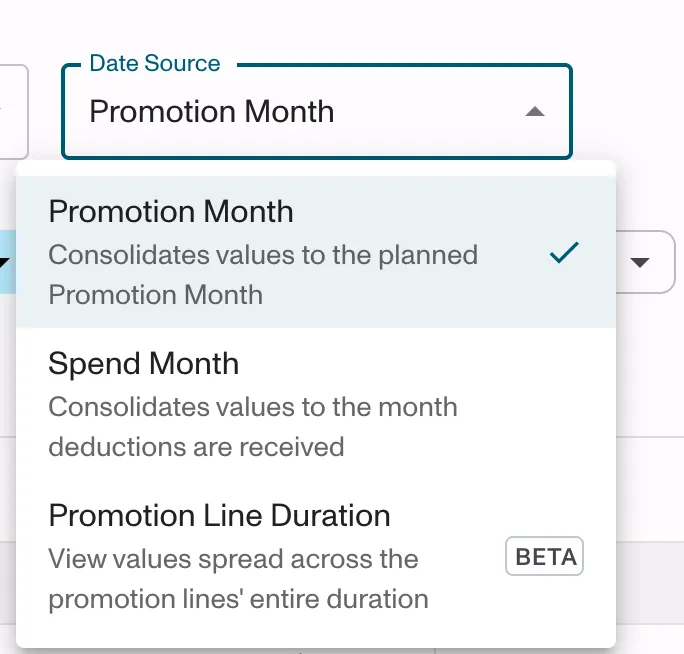
- New Beta Feature – Promotion Line Duration:
- A new date range option is available in beta for users who want to view performance by promotion line duration.
- This evenly spreads values by the # of days within the promotion line duration (and can span months)
- Removed “% Difference” Column:
- Based on client feedback, we’ve removed this metric to simplify your view and focus on key insights.
What Hasn’t Changed
- Data sources, calculations, and results remain the same.
- These updates are limited to the Spend, Unit, and ROI tabs - the bump chart page is not affected.
Updated about 1 year ago
Did this page help you?